Return data and privacy rules: the part that’s easy to miss
Using Bubble's new Trigger a backend custom event with return data

The new Trigger a backend custom event action lets you run a backend workflow from the page and hand data back with Return data. Useful pattern. It also has a behavior that looks kinda broken the first time you meet it.
You run one search inside the event. You return the first item, and it comes through. You return the full list from that same search, and it comes back empty. Same search, same constraints, same privacy rules, two outcomes.
It’s not a bug. But the logic behind it is easy to miss, and the editor doesn’t give you any hint that it’s happening. So here’s what’s going on.
The setup
First, let’s set up the scenario so we’re talking about the same thing:
Protect a data type with a privacy rule that does not allow searching.
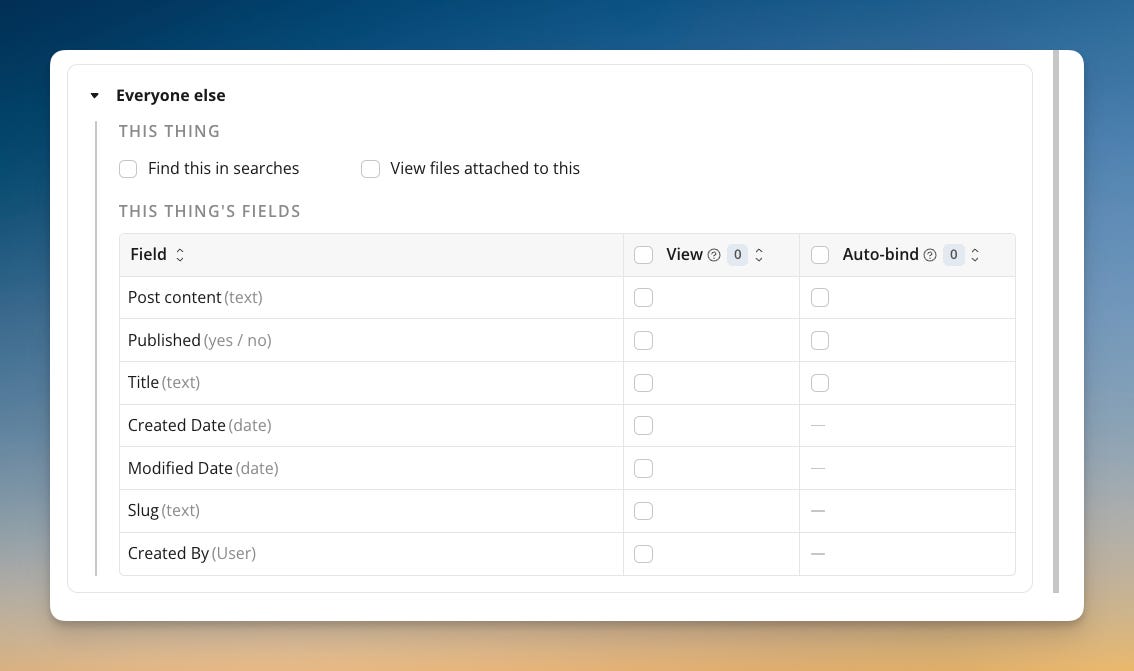
Trigger a backend custom event from a page,
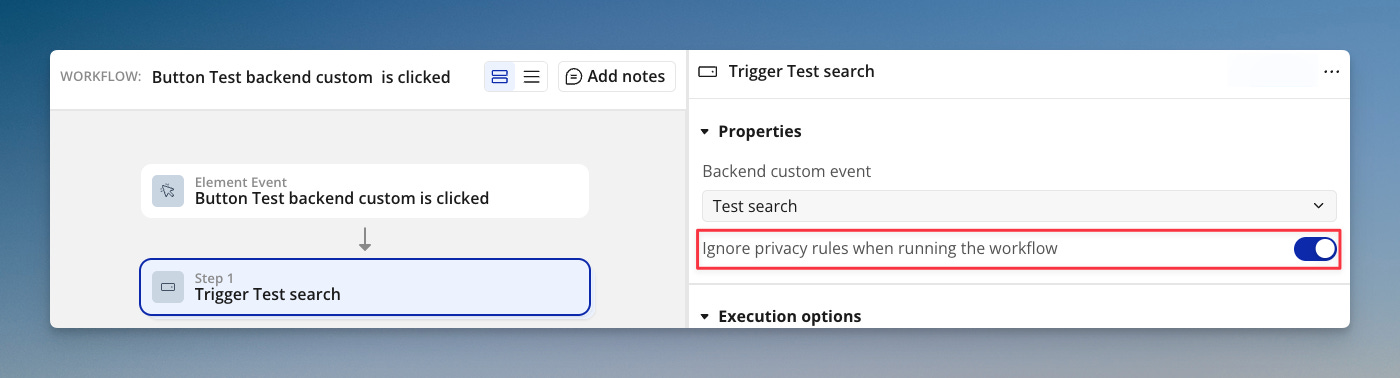
Keep Ignore privacy rules when running the workflow checked.
In the backend custom event, add a Return data action with two return values, both on the data type you set the privacy rule on:
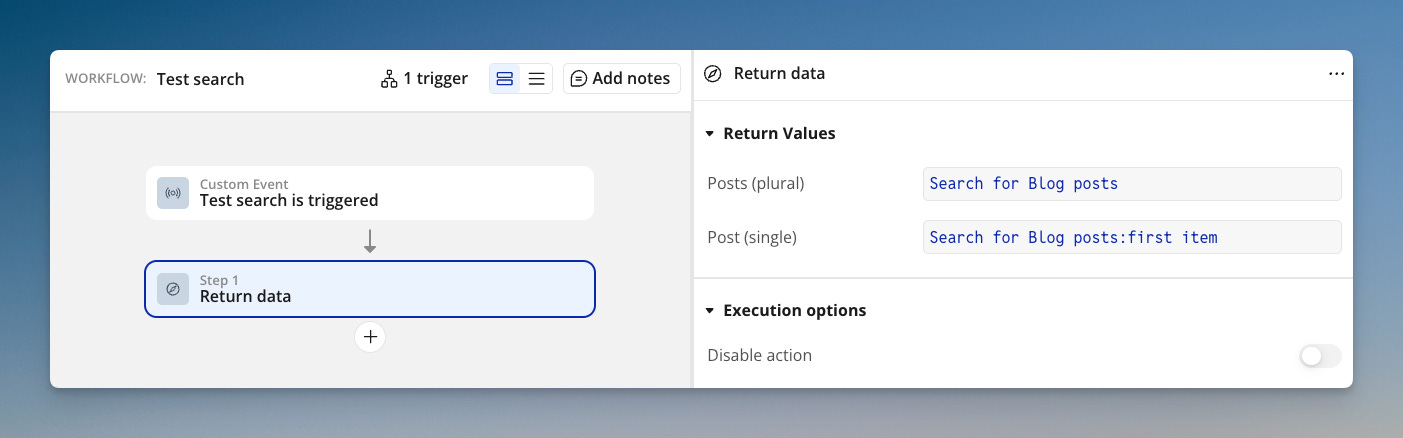
Do a search forDo a search for:first item
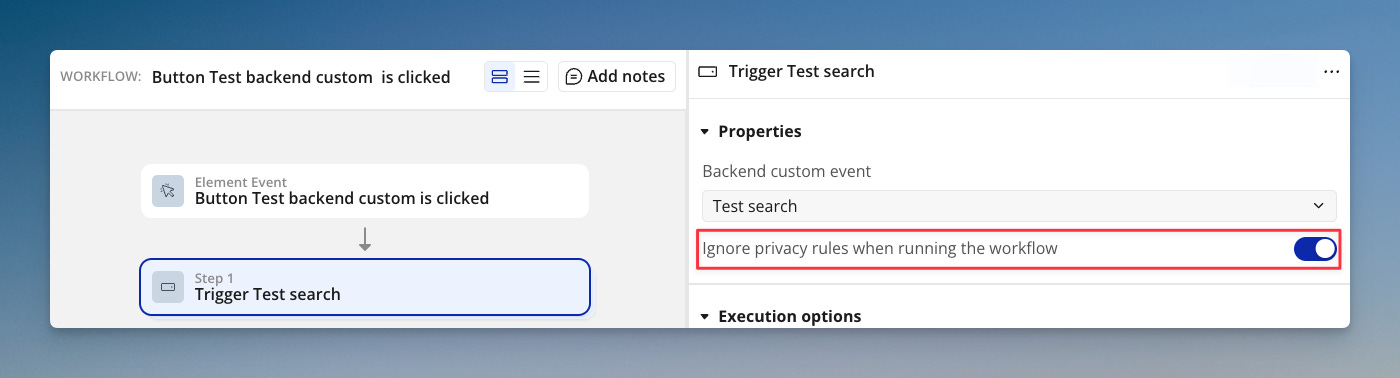
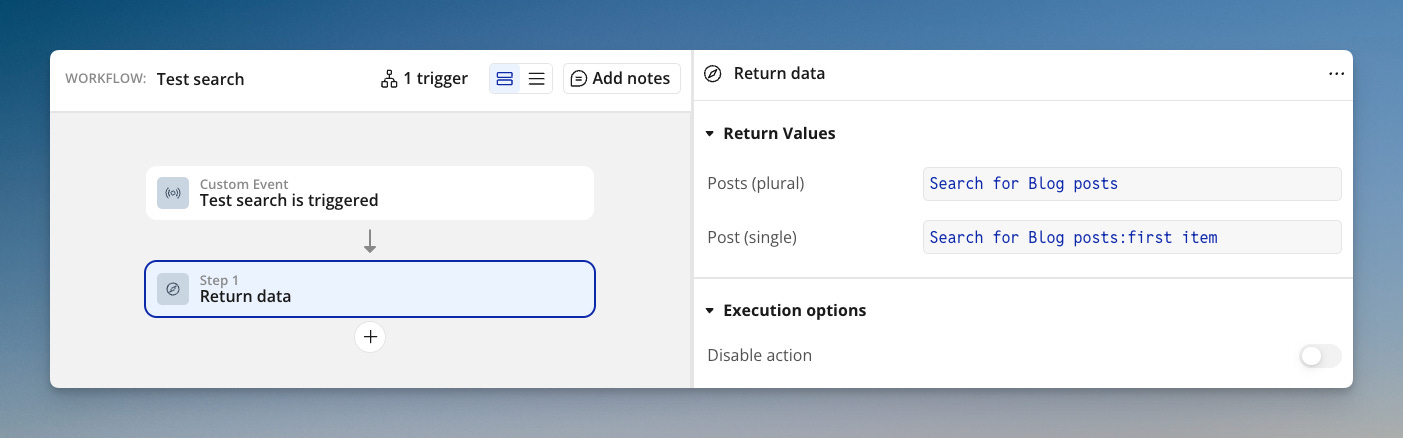
Do this and you get inconsistent results. The list comes back empty; the first item does not. It seems contradictory: is the search protected or not?
The logic comes down to Bubble’s mechanics, and it needs a bit of explaining.
How Bubble handles unique IDs
One of the things I wrote about in my book on Bubble security is that Bubble treats the unique ID unlike any other field. Set up a Do a search for :first item, constrain it by unique ID alone, and Bubble returns the record. It does this even when the user doesn’t have permission to search for that thing.
The reason is in how the database resolves a request. There are two paths. One is discovery: a search with constraints that narrows a set of records down to the ones that match. The other is a direct fetch, usually called a lookup, which goes straight to one record by its ID, the way a primary key works in any database. Privacy rules govern discovery. They decide whether a thing can turn up in a search. They do not govern the direct fetch. If you give Bubble a unique ID, it stops searching and starts looking up.
This is the same mechanic as when a thing links to another thing. When you save Current User’s Company on the User, what’s stored in the database is the Company’s unique ID, which acts as a foreign key. Bubble follows that ID with a lookup and returns the Company.
So a valid unique ID always resolves to its record. This is why fields have to be protected by privacy rules, not by search permission alone. Lock down the fields, and a user who reaches the record by ID gets back nothing but the ID itself.
So this isn’t really news. Most experienced developers know the two paths apart. Where it still gets confusing has to do with how searches actually work, and that’s what the Return data action suddenly surfaces.
Things, static lists, and live searches
Bubble searches are reactive, so the page updates when the underlying data changes. You can see this when you place a Do a search for and display the results in a repeating group. If you add or remove a record, it’s instantly reflected in the repeating group.
For that to work, the client can’t hold a frozen set of rows. It holds the constraints and re-runs them. A list from a search, on the client, is the search definition, not a fixed set of records.
This is where the asymmetry comes from. The two values are already different kinds of object before Return data touches them. A single thing is an ID. A live list is a search. Return data hands each one over in its native form, and the two forms meet two different privacy gates:
Return a single thing, and an ID is passed to the client. The client looks it up by ID. No search runs, Find this in searches has nothing to filter, and the record resolves with only field privacy in effect.
Return a live list, and a search is passed to the client. The client runs it as the current user, Find this in searches applies, and no access means an empty result. No IDs, nothing.
So a unique ID is a fixed reference to one record. It isn’t reactive; it points to the same record for as long as that record exists. A search is a live connection to the database that can change at any moment. That’s why Bubble passes the two in different ways.
And :first item was never a special case. Ask for one item and the value’s type is now a thing, not a list. A thing is an ID, so it crosses as an ID and resolves by lookup, which is why it comes back while the bare list returns empty.
Forcing a static list
To pass a list the same way, the list has to be static. You can make it so with the :make static operator. Bubble then returns a list of unique IDs instead of a live search, and each ID resolves by lookup on the client, the same as a single thing. A static list behaves like a set of single things. A live list behaves like a search.
There’s a second way to get a static list, which you may have run into. Put the search in an earlier step, such as a Make changes to a list action, and reference it with Result of step X. Return data then sends the list, because Result of step X is already a static list of things, not a live search.
Where this can cause problems
Sending a single record
There are at least two ways in which this behavior can cause unexpected problems:
View all fields: If you return a thing to the client, expecting the search to yield no results, you may expose data when that thing is returned after all. The solution is to protect its fields with privacy rules, which of course you should do regardless.
Is empty: the second is a bit more sneaky. Even if you protect the fields with privacy rules, and Bubble only returns the unique ID, that still counts as a thing. If you run a condition that checks whether the result is empty, the condition will fail.
Making changes: the same is true for an action like Make changes to a thing. Privacy rules don’t stop Bubble from writing to a hidden field. Since the record is returned, the action will make changes to it, even if the user shouldn’t have been able to search for it.
Sending a list
Counting a search result: Sending a live search the user is not allowed to run will result in a count of 0, even if the custom backend event performs that search just fine.
Counting a static list: the same is of course true, but opposite. If you convert the result to a static list. Bubble will count the unique IDs and return a number, even if the user isn’t allowed to search or view fields.
Viewing fields: Even if you do convert the search to a static list, Bubble only returns the list of unique IDs. It doesn’t send the actual data in each thing: trying to view protected fields on the client will fail.
Thanks Peter very helpful!
Kind of related but was wondering if I am right in assuming that a search by unique id is going to be faster (and cost less workflow units) than a search by another field, even if that that be other search is also just a simple match?